LoopLab Precision
A video player built for shadowing any language.
Set precise A/B loops, study VTT subtitles word by word, use dictionary lookup, save vocabulary, and export review files from your videos.
Platforms
One study workflow, built for each device.
iPad stays App Store based. Mac and Windows desktop releases will be distributed from this website with a license key for Premium features.
iPad
Practice with precise loops and VTT subtitles on iPad. Premium is handled through the App Store.
Download on App StoreMac
Direct website download with license key activation. Built for local MP4/VTT study, dictionary lookup, and exports.
Mac roadmapWindows
Windows will follow the desktop license model after the Mac release path is stable.
Coming soonDesktop license plan
The desktop edition will use a website purchase and license key activation, separate from App Store purchases on iPad.
Premium desktop features are planned around unlimited saved loops, audio export, video segment export, and vocabulary export for Markdown/CSV review.
Planned Premium desktop flow
- Download the Mac app from this website.
- Buy a desktop license online.
- Paste the license key into the app.
- Use Premium export and study features locally.
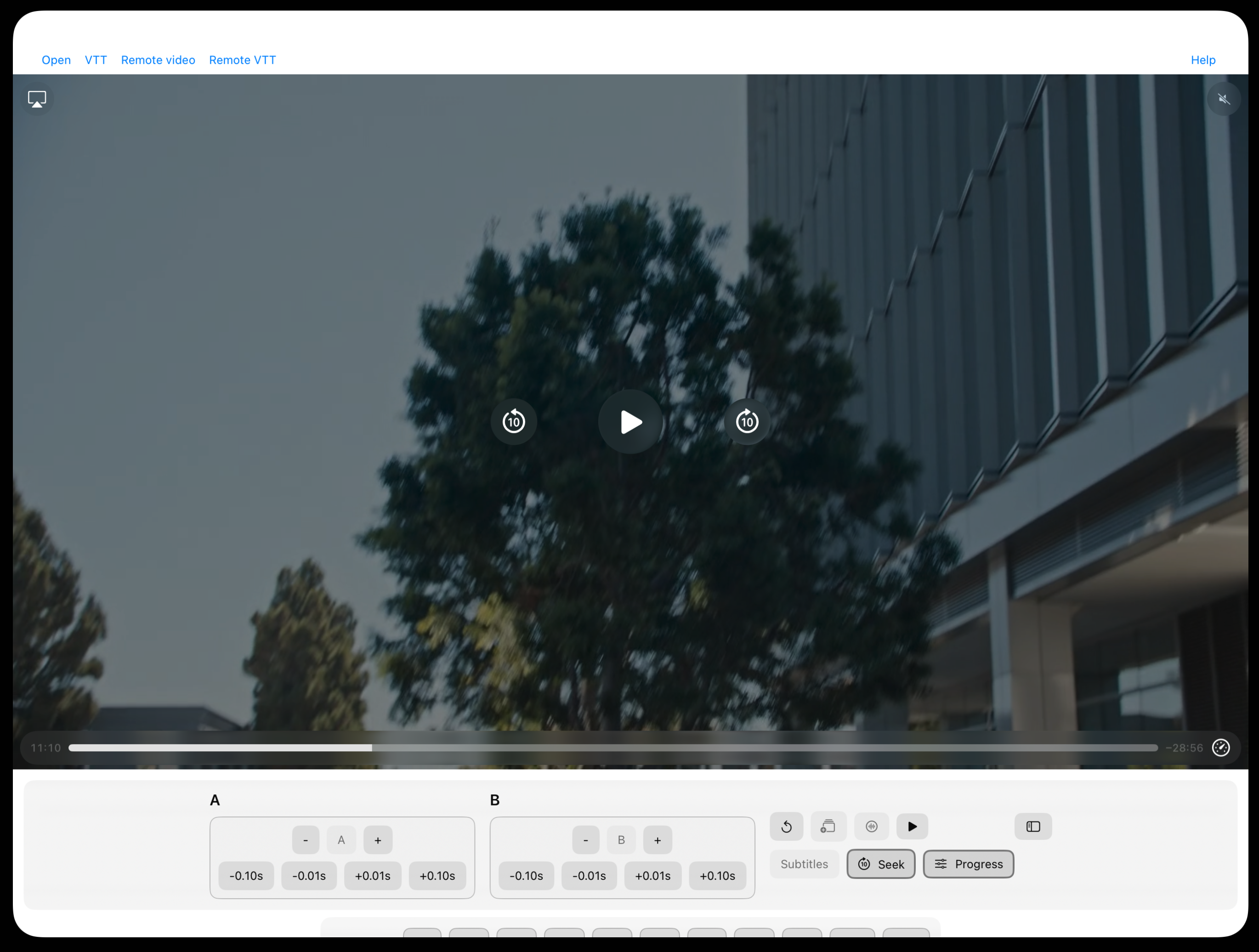
A clean, distraction-free interface for shadowing practice: video, subtitles, loop controls, saved loops, and study tools in one place.
Features
Focused tools for learners who practice by listening, repeating, shadowing, and reviewing real subtitle lines.
Precision Timing
Fine-tune playback with small timing adjustments so a phrase starts and ends exactly where shadowing practice needs it.
A/B Loop Control
Set precise start and end points to create perfect practice loops. Master difficult phrases through targeted repetition.
VTT Study Mode
Study subtitles word by word with language-aware tokenization, read-aloud controls, meaning links, and dictionary lookup on Mac.
Saved Vocabulary
Save selected words with their subtitle sentence, timestamp, study language, meaning language, and dictionary summary.
Markdown and CSV Export
Export vocabulary as clean Markdown notes or CSV files for spreadsheets, review workflows, or Anki-style study.
Audio and Clip Export
Export your loop range as audio or a video segment when you want focused review material outside the app.
How It Works
Open a video, set your loop points, study the subtitle line, and save the words you want to review.
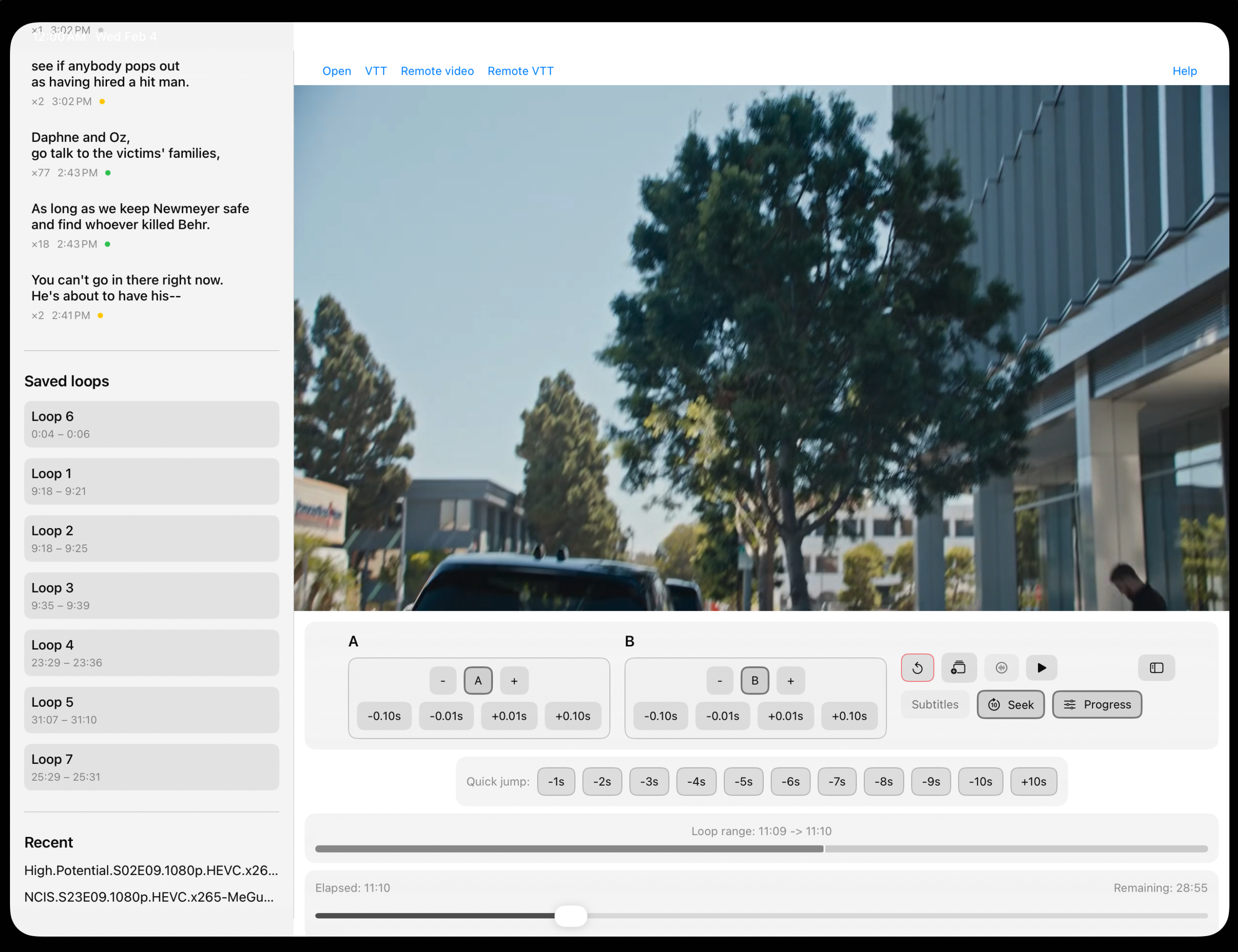
Interactive Sidebar Panel
Reopen recent videos, access saved loop segments, and keep repeat practice organized around the file you are studying.
A/B Loop Points
Set point A and B to create a loop. Use the precision controls (±0.5s, ±0.10s, ±0.01s) to fine-tune your loop range. Repeat difficult phrases until you master them.
Study and Export Vocabulary
Select words from VTT subtitles, read them aloud, save them with context, and export Markdown or CSV review files.
Quick Jump Controls
Navigate your video with precision using quick jump buttons. Skip backward or forward by 1s, 2s, 3s, 4s, 5s, 6s, 7s, 8s, 9s, or 10s intervals.
Start Shadowing With Better Loops
Use LoopLab Precision on iPad today. Mac desktop licensing and Windows support are being prepared for direct website release.